

Reading your vanityURLs admin dashboard
The /en/_stats/ dashboard is intentionally modest. It does not edit links, publish changes, or replace Git review. It gives the operator a protected read-only view of what the Worker will do with the generated registry. Other supported languages use the same localized pattern, such as /fr/_stats/.
That makes it useful in exactly the moments where a text file is a little too quiet: after a deployment, before a cleanup, when a link expires, or when someone asks whether a slug is exact, splat, permanent, disabled, or missing metadata.
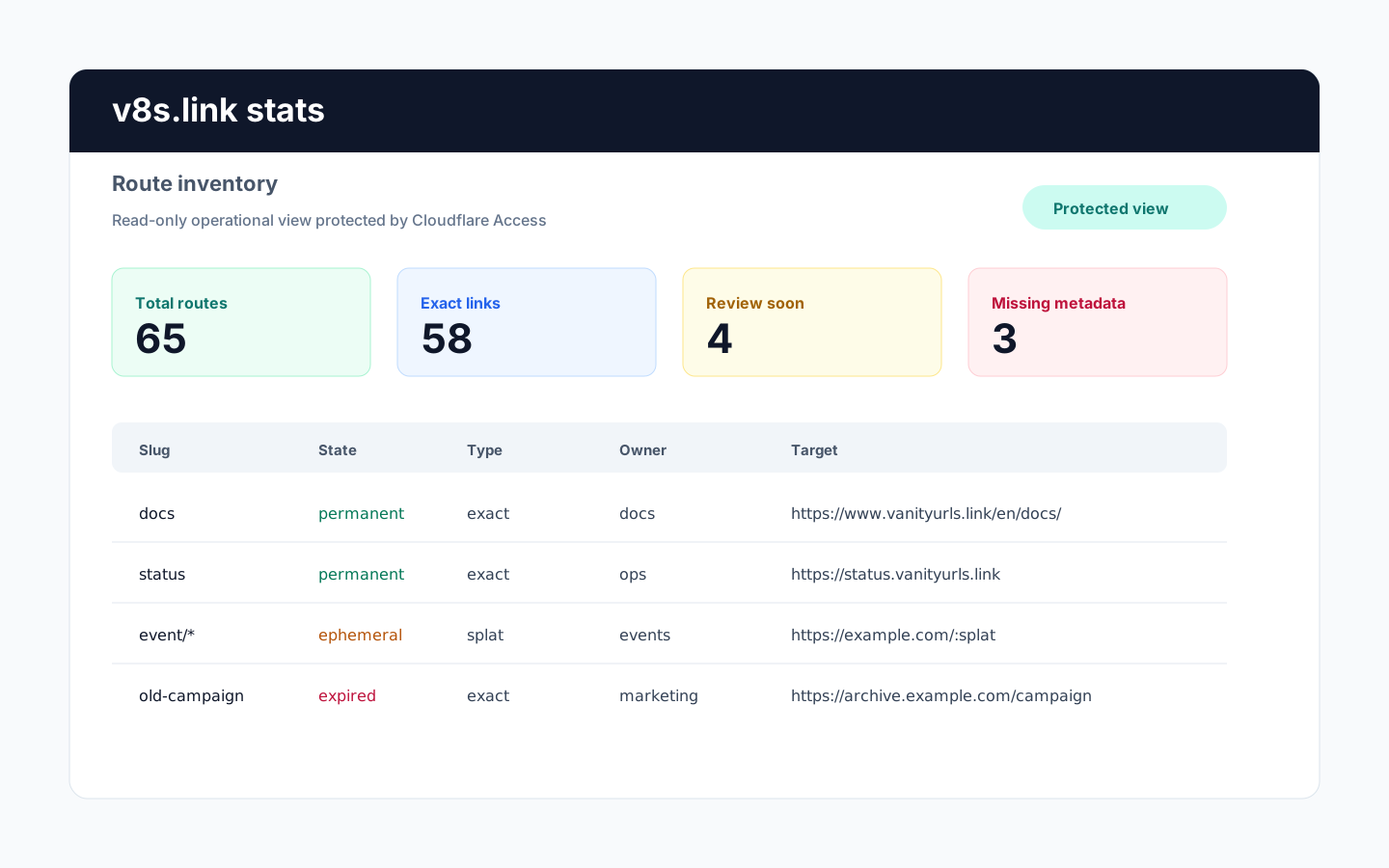
What to look for
Use the dashboard to answer operational questions:
- how many routes are deployed
- which slugs are exact links and which ones are splat links
- which links are expired, disabled, ephemeral, or permanent
- which entries are missing title, description, tags, owner, or notes
- which links are expiring soon and need a human decision
- whether the deployed registry timestamp matches the change you just pushed
The first-row metric cards are quick filters. Click a lifecycle state such as Permanent or Ephemeral to focus the table, click more states to show any of those states, and use the search box at the same time when you need a narrower state plus text view. Click Total to clear the dashboard filters.
It is the routing and lifecycle plane. Analytics still belong in Umami, Fathom, or Cloudflare Analytics.
Why it is read-only
vanityURLs treats Git as the source of truth. The dashboard reads /en/_stats/api/v8s.json or the matching localized stats API, which is derived from the generated runtime registry. Editing from the dashboard would create a second source of truth, and that is exactly where small tools become surprising.
The read-only design keeps the workflow boring in the best way:
- edit
custom/v8s-links.txt - run validation
- commit the change
- push to deploy
- use
/en/_stats/to confirm the deployed registry timestamp and result
Protect it
The dashboard should sit behind Cloudflare Access. Protect */_stats, */_stats/*, */_tests, and */_tests/*, then use Access control as the expected configuration. Legacy /_stats requests redirect to /en/_stats/, and legacy /_tests requests redirect to /en/_tests/.
For the configuration details around protecting localized stats paths, use Access control.